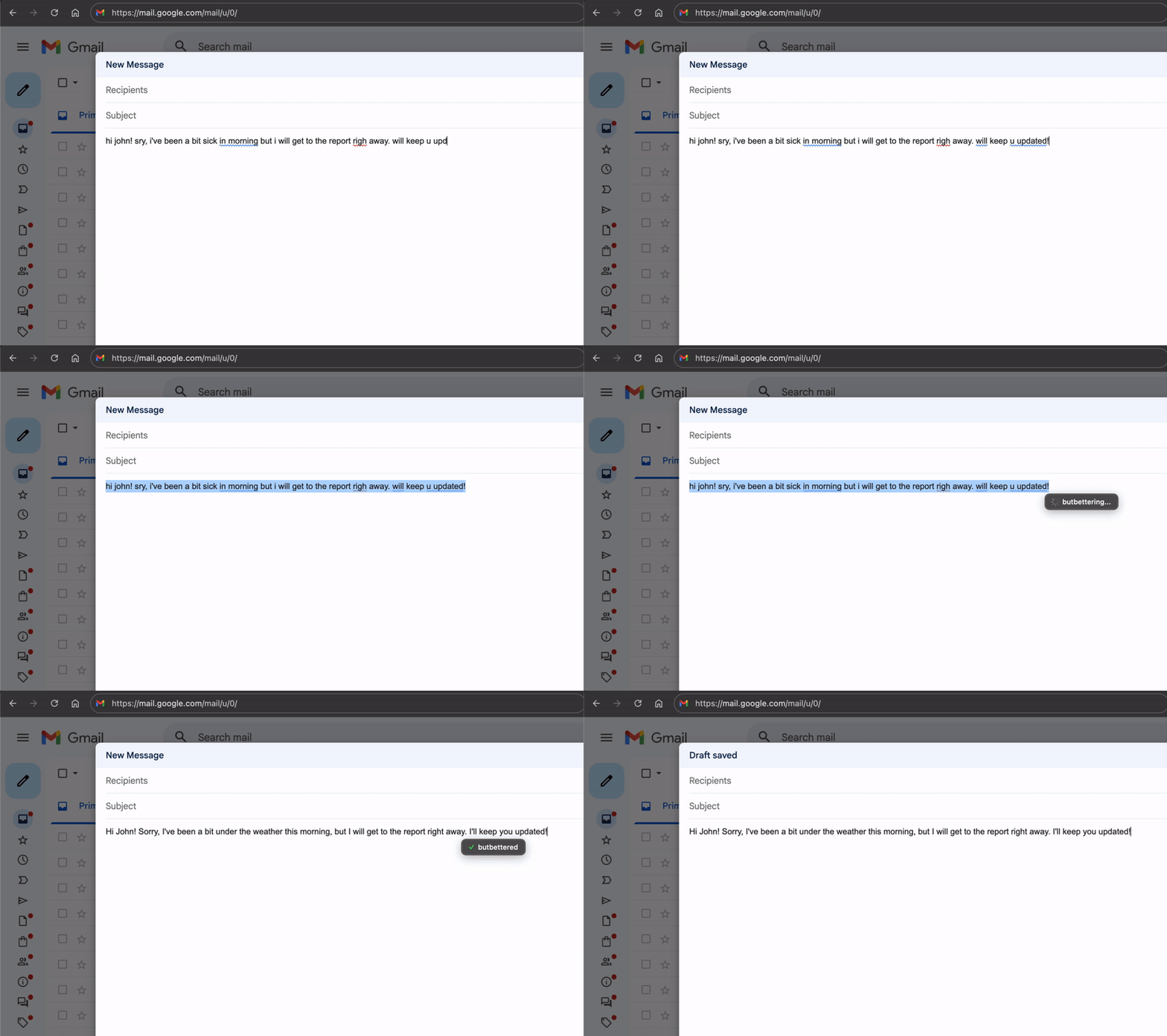
Fix typos. Correct grammar. Polish your tone.
All with one keyboard shortcut, right where you type.
Real-time fixes, right where you type.
Googling "how do you spell..." for the hundredth time. Asking a friend to check if your message sounds okay. Copy-pasting into ChatGPT, waiting, copying back. Or just hitting send and hoping for the best.
Your spelling is fixed, your grammar is corrected, and you sound exactly as professional as you want — right where you typed it.
Anywhere you can type, butbetter works. No plugins, no extensions — just one shortcut.
Browser
Design
Writing
Social Media
Writing
Communication
Communication
Writing
Social Media
Development
Communication
Development
Writing
Browser
Highlight the text you want to improve
⌘ ⌃ ⌥ B does the magic
Your polished text appears in a matter of seconds
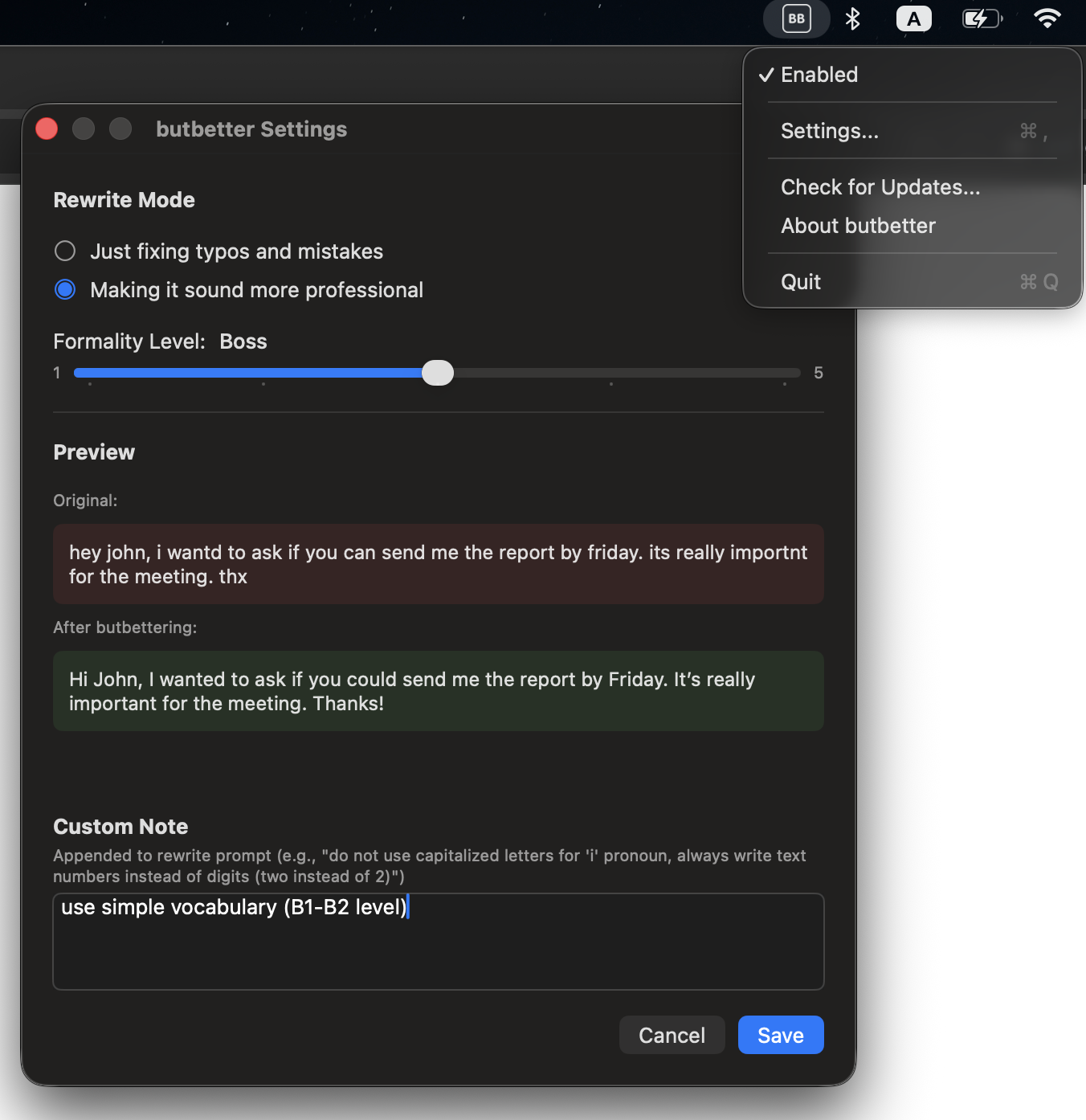
Click the icon in your menu bar to adjust how butbetter works for you
Type something messy and see how butbetter transforms it
Yes! butbetter is free to use with 20 rewrites per day (up to 500 characters each). For unlimited rewrites with longer texts, subscribe starting at $3/month.
Your text is never stored on our servers. To improve your text, we send it to OpenAI's API, which powers the rewriting. OpenAI may process your data according to their policies. Read OpenAI's Privacy Policy.
No. Just download and start using. No email, no password, no sign-up required.
butbetter works with any language that OpenAI supports — which is most major languages including English, Spanish, French, German, Italian, Portuguese, Chinese, Japanese, Korean, and many more.
No, butbetter requires an internet connection to process your text.
Free users get 20 butbetterings per day with texts up to 500 characters. Unlimited subscribers get unlimited butbetterings with texts up to 5,000 characters.
Each subscription gets a fresh license key with its own 3-device limit. If you cancel and resubscribe later, you'll receive a new license key — just enter it in the app to continue using butbetter unlimited.
Not yet, but it's coming soon! Stay tuned.
butbetter requires macOS 13 (Ventura) or newer.
Download the .dmg file, open it, and drag the butbetter app into your Applications folder. Launch the app and grant the permissions when prompted. That's it — you're good to go!
butbetter needs accessibility permissions to copy your selected text, transform it, and paste it back — that's essentially all the app does. Unfortunately, macOS doesn't offer more granular permissions for just copy/paste, so we have to request full accessibility access.
Stop worrying about typos, grammar, and how you sound.
Let butbetter handle it for you.
Have a feature request? Issues with the app? Want a refund? Or just want to chat?